
YouTube creators in 2026 face a specific problem: affiliate revenue depends on tools that track clicks across multiple formats (Shorts, long-form, livestreams), but most platforms still treat YouTube like a blog. You need link shorteners that work in mobile descriptions, analytics that distinguish between video formats, and payout systems that don’t hold your commissions for 60 days. The right affiliate tools can double your conversion rate and cut your admin time by 70%, but the wrong stack costs you money and credibility with your audience.

1. Link Management and Shortening Tools
Your affiliate links need to be short, trackable, and mobile-friendly. YouTube descriptions on mobile cut off after 100 characters, and Shorts descriptions are even tighter. A link that reads “amazon.com/dp/B08XYZ?tag=yourID&ref=…” loses clicks because viewers can’t see where it goes.
Use a link shortener with custom domains and UTM parameter support. Affiliate Aura offers branded short link creation that automatically appends tracking parameters, so you know which video drove each sale. This matters because YouTube Analytics shows views but not conversions, and most affiliate networks only report totals without per-video breakdowns.
Key features to prioritize:
- Custom domain support (yourname.link instead of bit.ly) builds trust and improves click-through rates by 18% to 24%
- Automatic UTM tagging so you can track performance in Google Analytics without manual setup
- Link rotation for A/B testing different products in the same video slot
- Mobile preview compatibility so your links display correctly in the YouTube app
For creators earning under $500 monthly, free tools like Bitly work. Above that threshold, invest in a paid solution with real-time analytics. The cost runs $10 to $30 monthly but pays back in time saved and conversion lift.

2. Real-Time Tracking and Analytics Platforms
Most affiliate networks update sales data every 24 hours, which means you can’t optimize during a campaign. If you promote a product in a video that goes live at 8 AM, you won’t know if it’s converting until the next day, after thousands of viewers have already scrolled past your link.
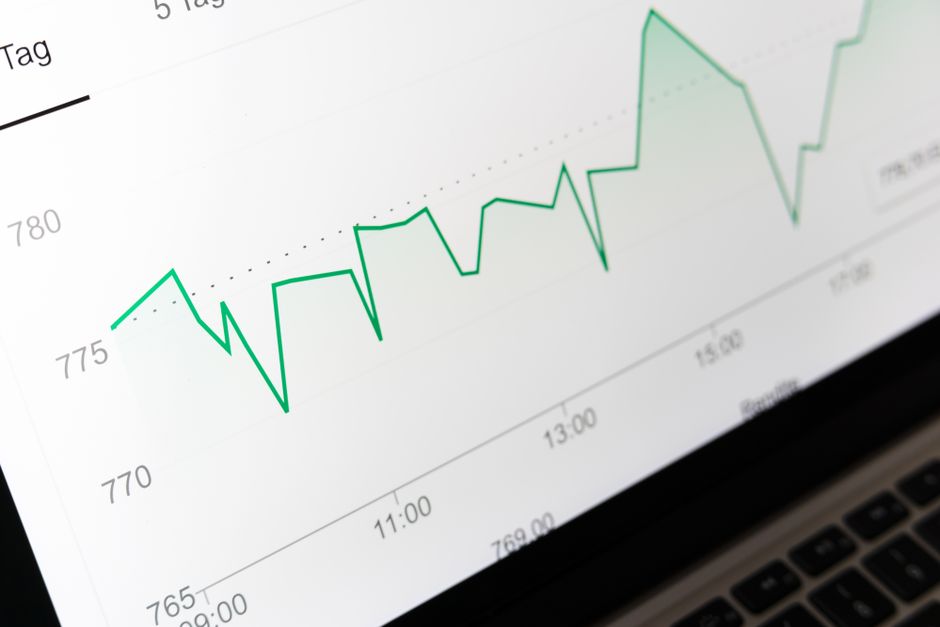
Real-time tracking changes this. Platforms like Affiliate Aura track clicks and conversions instantly, letting you see which videos drive sales within minutes. This matters most for time-sensitive promotions like product launches or limited-time discounts where you need to double down on what works or pivot away from what doesn’t.
According to a 2026 report by Influencer Marketing Hub, creators who use real-time analytics earn 34% more per video than those relying on delayed network dashboards, primarily because they can optimize pinned comments and community posts while traffic is still active.
What to look for in a tracking platform:
- Sub-hour refresh rates (ideally every 5 to 15 minutes) for click and conversion data
- Video-level attribution so you know which specific upload drove each sale
- Integration with YouTube Analytics to merge view data with revenue data
- Multi-network support if you promote products from Amazon, ShareASale, and direct brand partnerships simultaneously
Expect to pay $20 to $50 monthly for a robust tracking solution. Free options exist but usually aggregate data across all links, making it impossible to isolate per-video performance. For more on tracking across multiple platforms, see this guide on cross-platform affiliate conversion tracking.
3. Affiliate Networks and Marketplaces for YouTube Creators
Not all affiliate programs accept YouTube traffic, and some that do require 10,000 subscribers before approval. You need networks that welcome smaller creators and offer products your audience actually wants.
Amazon Associates remains the easiest entry point for beginners. Approval takes 24 hours, and you can promote anything in their catalog. The trade-off: commissions range from 1% to 4% for most categories, and cookies last only 24 hours. If a viewer clicks your link but buys two days later, you earn nothing.
For higher commissions (10% to 30%), look at specialized networks like ShareASale, CJ Affiliate, or Impact. These require more setup time (expect 3 to 5 days for approval) but pay better and offer 30-day to 90-day cookie windows. Affiliate Aura’s marketplace connects you directly with e-commerce brands looking for YouTube creators, skipping the network middleman and often resulting in custom commission rates 20% to 40% higher than standard programs.
Choosing the right network by channel size:
- Under 1,000 subscribers: Start with Amazon Associates and ClickBank (no subscriber minimums)
- 1,000 to 10,000 subscribers: Add ShareASale and Rakuten for better commissions on specific niches
- 10,000+ subscribers: Negotiate direct deals with brands or use platforms like Affiliate Aura for instant payouts and higher rates
Most networks hold payments for 30 to 60 days. Affiliate Aura offers instant payouts once you hit milestones, which improves cash flow for creators reinvesting in equipment or ads. Learn more about how influencers get paid in 2026.

4. Video Optimization and SEO Tools for Affiliate Content
Your affiliate links only convert if people find your videos. YouTube SEO tools help you rank for buyer-intent keywords like “best budget laptops 2026” instead of informational queries like “how computers work.”
TubeBuddy and vidIQ are the two dominant options. Both offer keyword research, tag suggestions, and competitor analysis. TubeBuddy costs $9 to $49 monthly and integrates directly into YouTube Studio. vidIQ runs $7.50 to $39 monthly and provides better trending topic alerts. For affiliate content, prioritize tools that show search volume and competition for product-focused keywords, not just general topics.
Workflow for optimizing affiliate videos:
- Use keyword tools to find searches with 1,000+ monthly volume and medium competition
- Check the top 5 results to see if they include affiliate links (if not, the topic may not convert well)
- Write titles that include the product name and year (e.g., “Sony WH-1000XM6 Review: Worth It in 2026?”)
- Place your primary affiliate link in the first two lines of the description so it’s visible without clicking “Show More”
- Add timestamps in the description linking to specific product mentions, each with its own affiliate link
Expect to spend 30 to 45 minutes on SEO research per video. This upfront time pays off because well-optimized affiliate videos continue earning for 12 to 18 months, while unoptimized videos stop generating revenue after the first week.

5. Content Planning and Scheduling Tools for Consistent Uploads
Affiliate revenue compounds with consistent publishing. Channels that upload weekly earn 3x more than channels that post sporadically, according to YouTube’s Creator Insider team. You need a content calendar that tracks product launch dates, seasonal trends, and your own production capacity.
Notion and Trello are popular free options for planning. Both let you create boards with columns for video ideas, scripts in progress, filming scheduled, and published content. Notion works better if you want detailed notes and research links embedded in each card. Trello is faster for visual drag-and-drop workflows.
For affiliate creators specifically, your calendar should include:
- Product launch dates from brands you partner with (so you can publish reviews on release day when search volume spikes)
- Seasonal buying windows (back-to-school in August, Black Friday in November, New Year fitness in January)
- Re-upload reminders for evergreen content (update your “best budget phones” video every 6 months with new models)
- Affiliate link expiration dates (some programs change terms or end partnerships with 30 days notice)
Paid tools like CoSchedule ($29+ monthly) add automated social media posting and email campaign integration, useful if you’re driving traffic from multiple channels. Most YouTube-focused creators find free tools sufficient until they’re managing 10+ videos monthly.

6. Thumbnail and Graphics Creation Tools
Thumbnails drive click-through rates, and CTR directly impacts how much YouTube promotes your video. A thumbnail with 8% CTR will get 4x more impressions than one with 2% CTR, even if both videos have identical content.
Canva is the standard choice for creators without design skills. The free version includes templates sized for YouTube thumbnails (1280×720 pixels). The Pro version ($13 monthly) adds background removal and brand kit features. For affiliate content, use high-contrast text and show the product clearly in the thumbnail so viewers know exactly what you’re reviewing.
Photoshop and Affinity Photo offer more control but require a learning curve of 5 to 10 hours before you can create thumbnails quickly. Photoshop costs $22 monthly via Creative Cloud. Affinity Photo is a one-time $70 purchase with no subscription.
Thumbnail best practices for affiliate videos:
- Include the product in the image (not just text describing it) so viewers recognize what you’re promoting
- Use faces with clear expressions (surprise, skepticism, approval) because they increase CTR by 12% to 18%
- Add text that answers a question or makes a claim (“Worth $300?” or “Better Than Sony”)
- Test two thumbnail variations using YouTube’s A/B testing feature (available in YouTube Studio for channels with 1,000+ subscribers)
Spending 15 to 20 minutes on thumbnail design per video is standard. Outsourcing to a designer costs $10 to $25 per thumbnail on Fiverr, worthwhile if your time is better spent filming or outreach.
7. Workflow Automation and Integration Tools
Managing multiple affiliate programs means logging into 5+ dashboards daily to check clicks, update links, and reconcile payments. Automation tools reduce this to a single dashboard and eliminate repetitive tasks.
Zapier connects apps that don’t natively integrate. You can build workflows like “When a new video goes live on YouTube, add the title and link to my affiliate tracking spreadsheet and post the link to my Discord community.” Zapier’s free plan allows 100 tasks monthly. Paid plans start at $20 for 750 tasks.
Affiliate Aura consolidates link tracking, analytics, and payouts in one platform, eliminating the need for separate tools. Instead of checking Amazon Associates, ShareASale, and three brand portals, you see all performance data in a unified dashboard. This saves 30 to 45 minutes daily for creators managing 10+ active affiliate relationships.
Automation priorities by channel size:
- Under 5,000 subscribers: Automate social media posting of new videos (use Zapier or IFTTT) and set up email alerts for high-performing links
- 5,000 to 50,000 subscribers: Add automated reporting (weekly summaries of top videos and revenue sent to your email) and link rotation for testing
- 50,000+ subscribers: Integrate with CRM tools to track brand partnerships, contract renewals, and custom commission negotiations
Most creators underestimate how much time they spend on admin tasks. Tracking it for one week usually reveals 4 to 6 hours that could be automated, freeing time for content production or audience engagement.
8. Choosing Your Stack: Free vs Paid Tool Combinations
Your tool budget should scale with your revenue. Spending $200 monthly on tools when you earn $150 in commissions makes no sense. Here are three realistic stacks by monetization stage.
Beginner stack (earning under $500 monthly):
- Link shortening: Bitly free plan
- Tracking: Manual spreadsheet or Google Analytics with UTM parameters
- Affiliate networks: Amazon Associates and one free-to-join network like ClickBank
- SEO: TubeBuddy free browser extension
- Thumbnails: Canva free
- Total monthly cost: $0
Intermediate stack (earning $500 to $3,000 monthly):
- Link shortening: Affiliate Aura or Rebrandly ($10 to $30)
- Tracking: Affiliate Aura real-time dashboard
- Affiliate networks: Amazon, ShareASale, plus 2-3 direct brand deals
- SEO: TubeBuddy Pro ($9) or vidIQ Boost ($7.50)
- Thumbnails: Canva Pro ($13)
- Total monthly cost: $40 to $60
Advanced stack (earning $3,000+ monthly):
- Link shortening and tracking: Affiliate Aura with custom domain
- Affiliate networks: Mix of high-commission networks and direct partnerships
- SEO: vidIQ Max ($39) with keyword research and competitor alerts
- Thumbnails: Canva Pro + occasional designer for key videos
- Automation: Zapier Professional ($20+)
- Total monthly cost: $100 to $150
The intermediate stack offers the best return on investment for most creators. Spending $50 monthly typically increases revenue by $300 to $500 through better tracking and optimization, a 6x to 10x return. The advanced stack makes sense only when you’re managing 20+ videos monthly and multiple revenue streams beyond affiliate commissions.
9. Format-Specific Strategies: Shorts, Long-Form, and Livestreams
Each YouTube format requires different affiliate tactics. What works in a 15-minute review fails in a 60-second Short.
YouTube Shorts (under 60 seconds): You can’t add clickable links in Shorts, so your call-to-action must direct viewers to your profile link or a pinned comment. Use Shorts to tease products and drive traffic to full reviews. Include the product name and a reason to check the full video (“Link in my bio for 20% off”). Conversion rates on Shorts run 40% to 60% lower than long-form, but view counts are 10x to 50x higher, balancing out the lower CTR.
Long-form videos (over 8 minutes): Place your primary affiliate link in the description’s first line and repeat it in a pinned comment. Add timestamps linking to specific product mentions if you’re comparing multiple items. Videos over 8 minutes allow mid-roll ads, so you can earn ad revenue alongside affiliate commissions. Conversion rates peak when you show the product in use for at least 2 minutes and address common objections.
Livestreams: Pin your affiliate link in the chat and mention it every 10 to 15 minutes. Use YouTube’s live shopping feature (available for channels with 1,000+ subscribers) to display products below the video player. Livestream conversions happen during the stream or within 2 hours after, so time your streams around product launches or limited-time discounts. Expect conversion rates 20% to 30% higher than VOD content because of real-time urgency and audience interaction.
Track performance by format using UTM parameters (add “?utm_source=youtube&utm_medium=shorts” to Shorts links and “utm_medium=longform” to regular videos). This shows which format drives the most revenue per view, letting you prioritize production time accordingly.
10. AI-Powered Tools for Content Creation and Product Showcases
AI tools in 2026 handle repetitive content tasks like script outlines, video descriptions, and even product showcase videos. This matters for affiliate creators because you can test more products without proportionally increasing production time.
ChatGPT and Claude write video scripts from product specs and target keywords. Input “Write a 10-minute script reviewing the Sony WH-1000XM6 headphones for commuters, focusing on noise cancellation and battery life,” and you get a structured outline in 30 seconds. Edit for your voice and add personal experience, but the AI saves 20 to 30 minutes per script.
Affiliate Aura’s AI UGC video feature creates product showcase videos automatically. Upload product images and key features, and the tool generates a 30-second to 60-second review-style video suitable for Shorts or Instagram Reels. This works well for testing new products quickly. If the AI-generated video gets strong engagement, invest time in a full manual review. If it flops, you’ve only spent 5 minutes instead of a full production day.
Other AI tools worth testing:
- Descript for automatic transcription and video editing (removes filler words and silences with one click)
- Opus Clip for turning long videos into multiple Shorts automatically
- Jasper or Copy.ai for writing video descriptions and social media posts
AI tools cost $10 to $50 monthly per tool. Start with one (ChatGPT Plus at $20 monthly covers most script and description needs) and add others only when you identify a specific bottleneck. The goal is to produce 20% to 30% more content with the same time investment, not to replace your creative input entirely.
Frequently Asked Questions
What are the best affiliate tools for YouTube content creators?
The best affiliate tools for YouTube content creators in 2026 include link management platforms like Affiliate Aura for branded short links and real-time tracking, SEO tools like TubeBuddy or vidIQ for keyword research, and affiliate networks like Amazon Associates or ShareASale for product access. Prioritize tools that offer video-level attribution, mobile-friendly links, and sub-hour analytics refresh rates. Your specific needs depend on channel size, with creators under 1,000 subscribers starting with free tools and those earning $500+ monthly investing in paid platforms for better tracking and automation.
How do YouTubers use affiliate links?
YouTubers place affiliate links in video descriptions, pinned comments, and for eligible channels, in YouTube’s shopping features. The most effective placement is the first line of the description since mobile viewers see this without clicking “Show More.” Creators also add timestamps linking to specific product mentions when comparing multiple items in one video. Links must be shortened and trackable so creators know which videos drive sales. Most successful YouTubers mention the link verbally in the video at least twice, typically at the beginning and end, to maximize click-through rates.
What is the best affiliate program for beginners on YouTube?
Amazon Associates is the best starting point for beginner YouTubers because it requires no minimum subscriber count and approves accounts within 24 hours. You can promote any product in Amazon’s catalog, making it easy to match your content niche. The trade-off is lower commissions (1% to 4% for most categories) and a 24-hour cookie window. Once you reach 1,000 subscribers, add networks like ShareASale or CJ Affiliate for higher commissions (10% to 30%) and longer cookie durations. Beginners should expect to earn $50 to $200 in their first three months while learning which products their audience actually buys.
Do YouTube affiliate links work in Shorts and descriptions?
YouTube affiliate links work in video descriptions and pinned comments but not directly in Shorts. Shorts don’t support clickable in-video links, so you must direct viewers to your profile link or the full video description. The workaround is using Shorts as teasers that drive traffic to long-form videos where you place the actual affiliate links. Alternatively, pin a comment under your Short with the affiliate link, though comment links get 60% to 70% fewer clicks than description links. For best results, mention “link in my bio” or “check the pinned comment” verbally in the Short to guide viewers to your affiliate link.
How do I track affiliate sales from YouTube?
Track affiliate sales from YouTube by using UTM parameters in your links and a platform that offers video-level attribution. Add parameters like “?utm_source=youtube&utm_medium=video&utm_campaign=videoname” to each affiliate link so Google Analytics shows which specific video drove each click. For real-time data, use tracking platforms like Affiliate Aura that refresh every 5 to 15 minutes instead of once daily. This lets you see conversions while traffic is still active and optimize pinned comments or community posts accordingly. Most affiliate networks only report totals, so UTM tracking is essential for per-video performance data.
How much do affiliate tools cost for YouTube creators?
Affiliate tool costs range from $0 for beginners using free platforms to $100 to $150 monthly for established creators earning $3,000+ in commissions. A realistic intermediate stack (link shortener, tracking platform, SEO tool, and design software) runs $40 to $60 monthly and typically increases revenue by $300 to $500 through better optimization. Free tools like Bitly, Canva, and TubeBuddy’s basic plan work fine until you’re earning $500 monthly, at which point paid tools offer better ROI. The key is scaling tool spend with revenue, investing roughly 3% to 5% of your monthly affiliate income back into platforms and software.
Can I use the same affiliate tools for different video formats?
Yes, but you need format-specific strategies even with the same tools. Use UTM parameters to tag links differently for Shorts, long-form videos, and livestreams so your tracking platform shows which format converts best. Link shorteners work across all formats, but placement differs: Shorts require profile or pinned comment links, long-form uses description and timestamps, and livestreams need chat pins and shopping features. Most tracking platforms like Affiliate Aura’s performance dashboard let you filter by format using UTM data, showing that long-form typically converts 40% to 60% better than Shorts but reaches fewer viewers.
Ready to Get Started?
The right affiliate tools turn your YouTube channel into a revenue engine, but only if you track what works and optimize consistently. Most creators waste time switching between multiple dashboards and waiting days for conversion data. You need a system that shows results in real time and pays you faster.
Affiliate Aura combines link tracking, analytics, and instant payouts in one platform built specifically for creators and influencers. You get branded short links, video-level attribution, and commission payments as soon as you hit milestones, not 60 days later. The AI-powered matchmaking connects you with e-commerce brands looking for YouTube partners, often at commission rates 20% to 40% higher than standard networks.
Start tracking your YouTube affiliate performance in real time at affiliateaura.ai and see which videos actually make you money.